Liminal and MasterScope: press kit
Descriptions, facts, screenshots and logos for writing about Liminal and MasterScope. Everything here is free to use in coverage, listings and reviews. For anything else, email masterscope@gwstudio.com.au.
Tagline
Free tools for release-ready masters.
Liminal in one line
Liminal is a free mastering limiter for Windows and Mac (VST3 and AU) that sets itself: press Learn, play the song once, and it lands on your loudness or density target with the peaks checked through real streaming encoders.
Short description
Liminal by MasterScope is a free mastering limiter. Press Learn and play your song once: Liminal finds the threshold that hits your loudness (LUFS) or density (PLR) target at your ceiling, then encodes the result with the real Opus and Ogg Vorbis codecs and adjusts until the peaks listeners get after streaming stay under the ceiling. Five modes, including Punch Guard (a limiter into a clipper) and Multiband, plus Optimise, Mix Doctor, a reference track and a one-click release pack, in a choice of five looks including three hardware skins. No ads, no account, no paywalled features.
Long description
Streaming services turn every track to about the same loudness, so a master's loudness number matters less than its density and its peaks after encoding. Liminal is built around that.
Learn sets the limiter in one listen. Choose a target, either a loudness such as −14 LUFS or a density such as PLR 10, press Learn and play the song. Liminal renders what it heard through hidden copies of itself to find the threshold that lands on the target at your ceiling.
The codec-safe ceiling keeps the peaks a listener gets after Opus (YouTube) and Ogg Vorbis (Spotify) encoding under the ceiling. Learn measures them with the real encoders on each song, rather than guessing a safety margin. An All codecs mode adds a margin for MP3 and AAC.
Optimise tries about 30 limiter setups at the same loudness and ranks them by punch. Mix Doctor shows which part of the mix makes the peaks the limiter fights and what to change. Punch Guard hands the tips of drum hits to a clipper so the mix isn't turned down around every hit. A reference track plays at matched loudness, and the release pack writes Streaming, Club, Apple Music and YouTube masters from one listen.
Five looks: Dark and Light, plus three hardware skins, Console, Rack and Vintage, with metal plates, knurled knobs and lit buttons. The meters and graphs stay on the same clear screens in every look.
Liminal works with MasterScope, a free website that checks whether a track is ready for Spotify, Apple Music, YouTube, SoundCloud and the club, entirely in the browser. Liminal's reports open in MasterScope, which suggests setting changes and gives a preset to import.
Facts
| Product | Liminal by MasterScope |
| Type | Mastering limiter |
| Price | Free. No ads, no account, no paywalled features |
| Version | 1.1.0, released 4 November 2026 |
| Formats | VST3 for Windows 10 and 11 (64-bit); VST3 and AU for macOS 10.13+ (universal: Apple silicon and Intel) |
| Modes | Lookahead, Punch Guard, Multiband, Brickwall, Soft Clip |
| Key features | Learn by LUFS or PLR, codec-safe ceiling measured with real Opus and Vorbis encoders, real-time Opus listening, Optimise, Mix Doctor, reference track, release pack, spectrum and 2D/3D spectrogram, live loudness, true-peak, PLR, correlation and stereo width meters, Snapshot of all settings, 14 factory presets |
| Looks | Dark, Light, and three hardware skins: Console, Rack and Vintage |
| Developer | GW Studio (MasterScope), Australia |
| Website | masterscope.gwstudio.com.au/liminal |
| Contact | masterscope@gwstudio.com.au |
MasterScope in one line
MasterScope is a free website that tells you if your track is ready to release, and what to fix if it isn't, for Spotify, Apple Music, YouTube, SoundCloud and the club. It runs in your browser, so your audio never leaves your computer.
Screenshots
Click a screenshot to open the full-size image (1440 × 900), or download them all as PNG files (14 images, 4 MB) for sites that don't accept WebP.
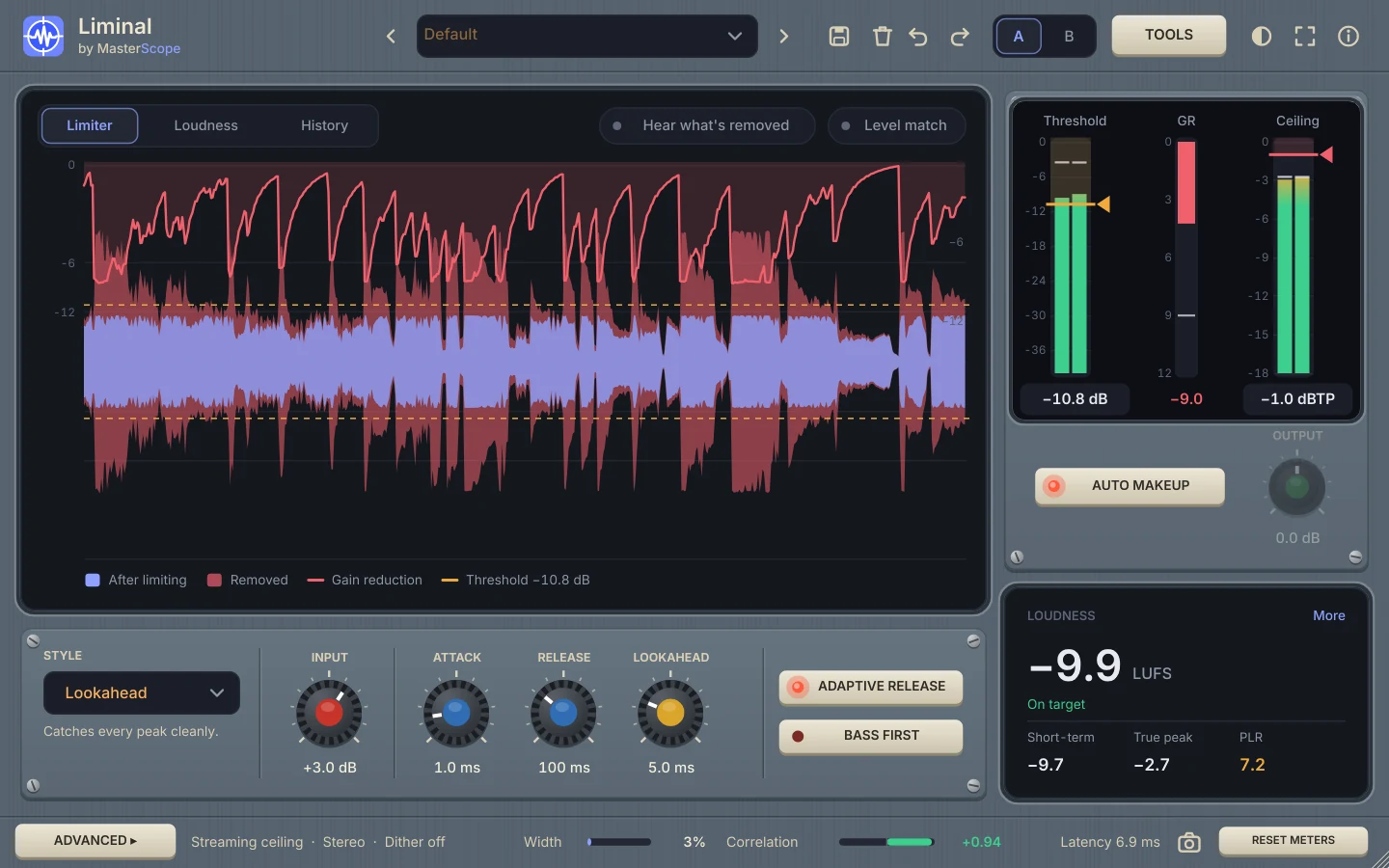 Console look
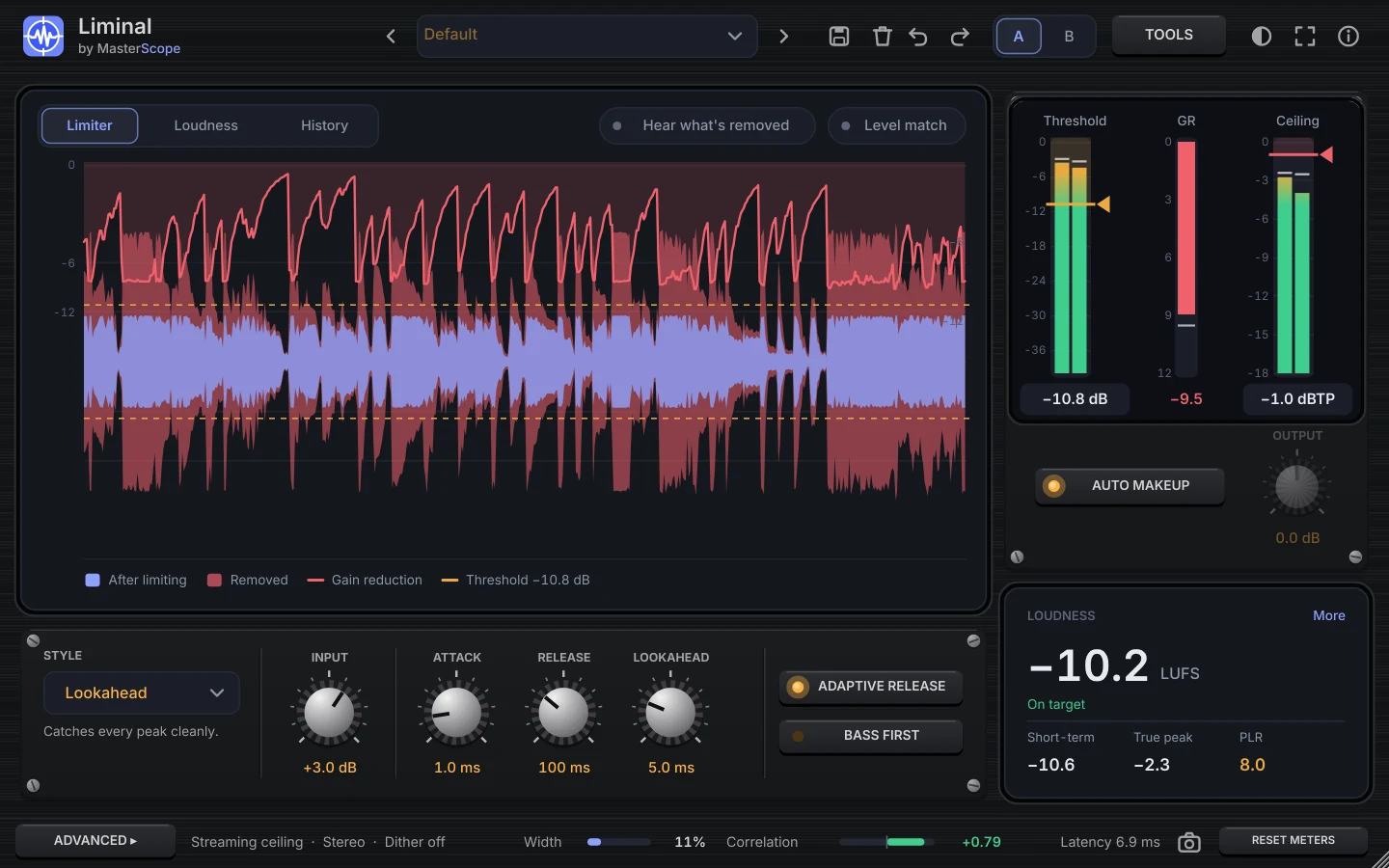 Rack look
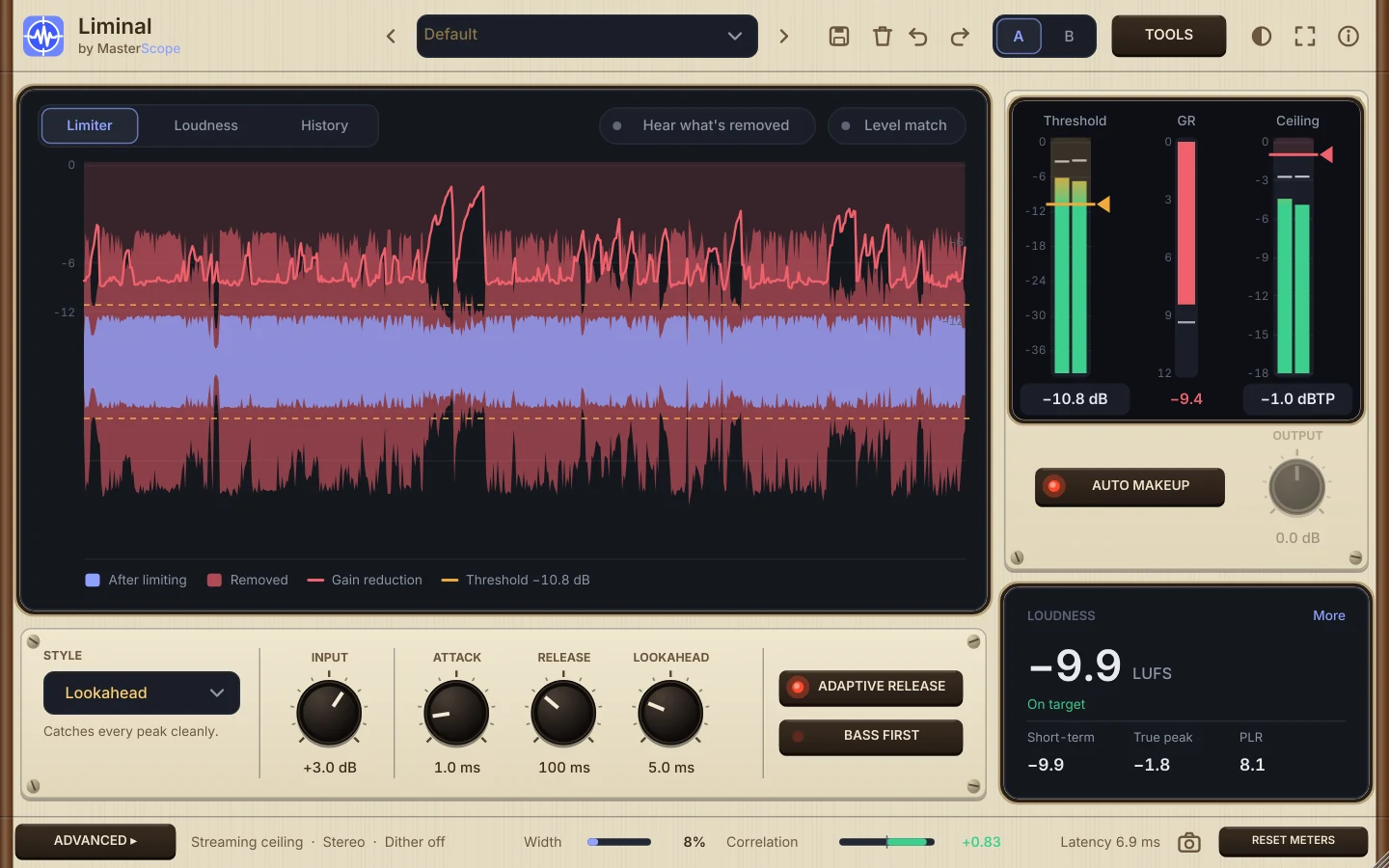 Vintage look
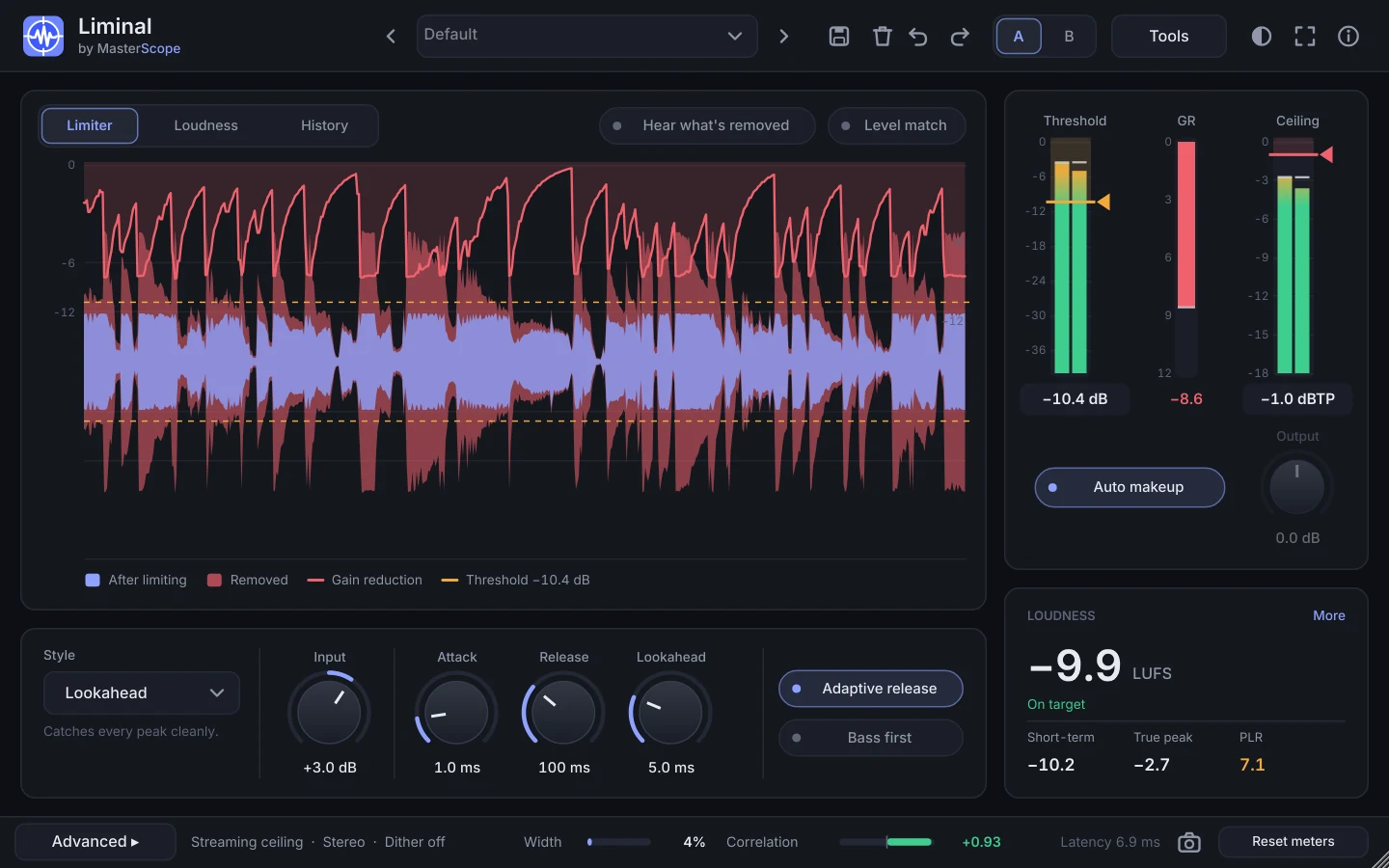 Liminal: main window
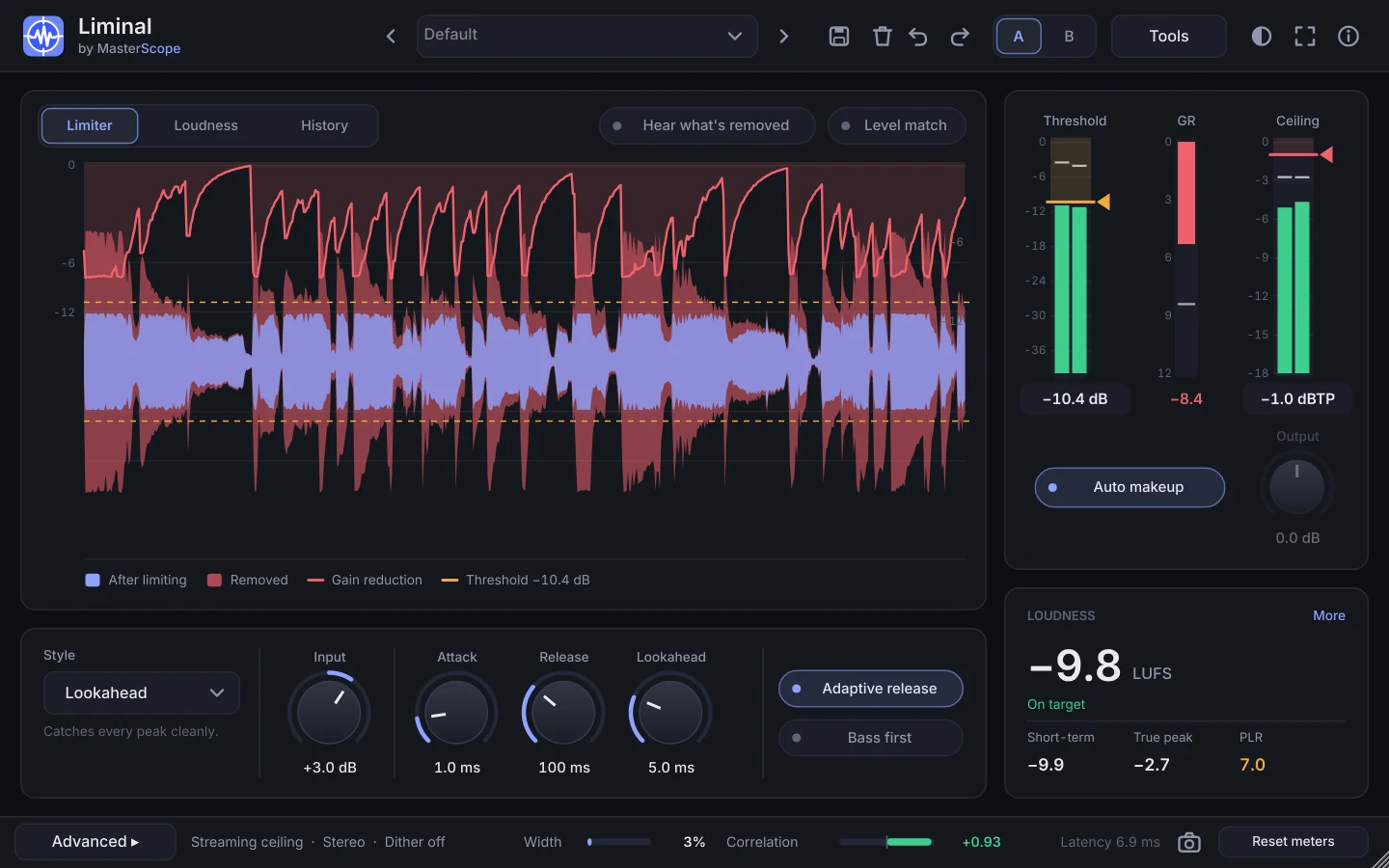 After Learn: on target
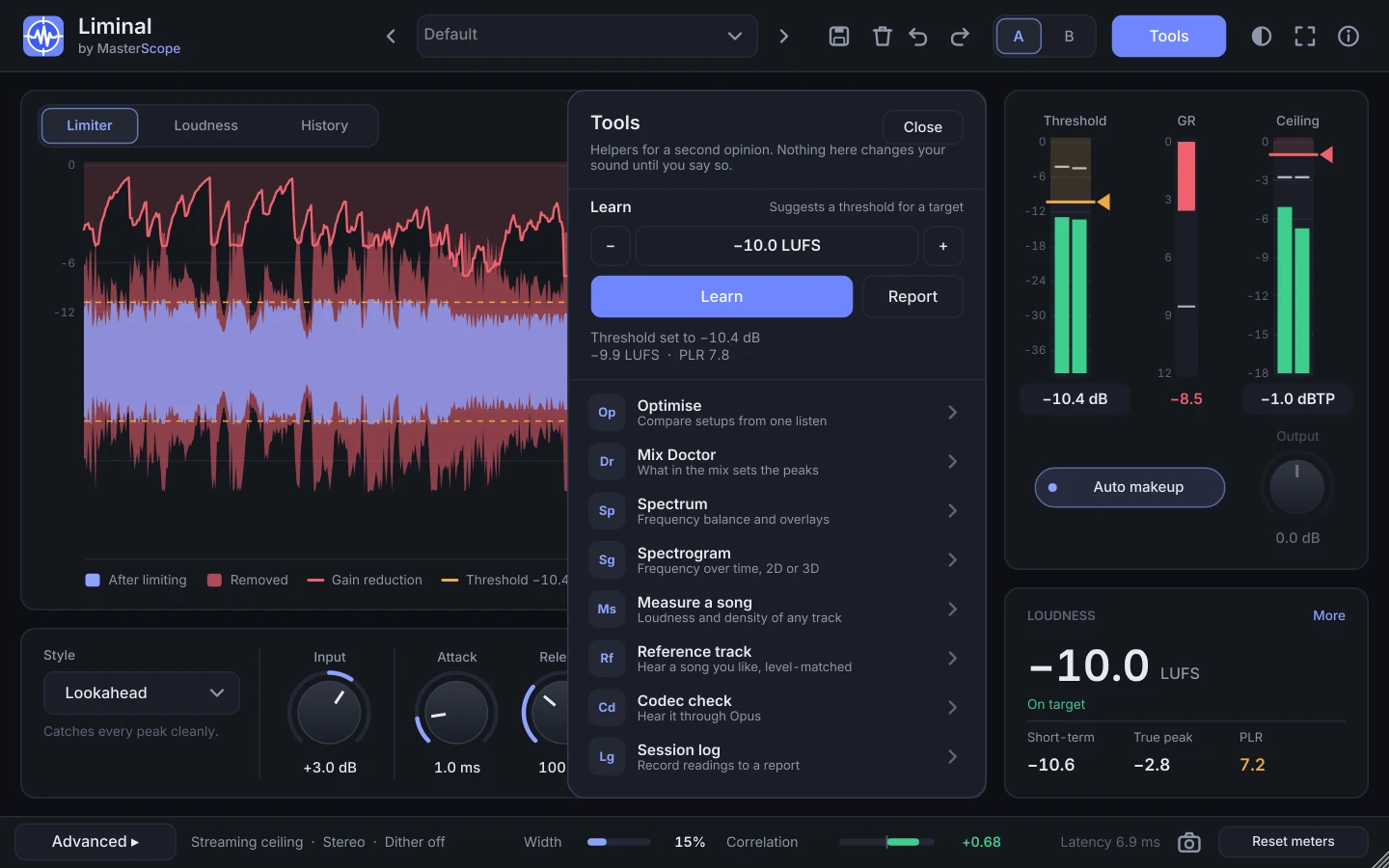 Tools panel
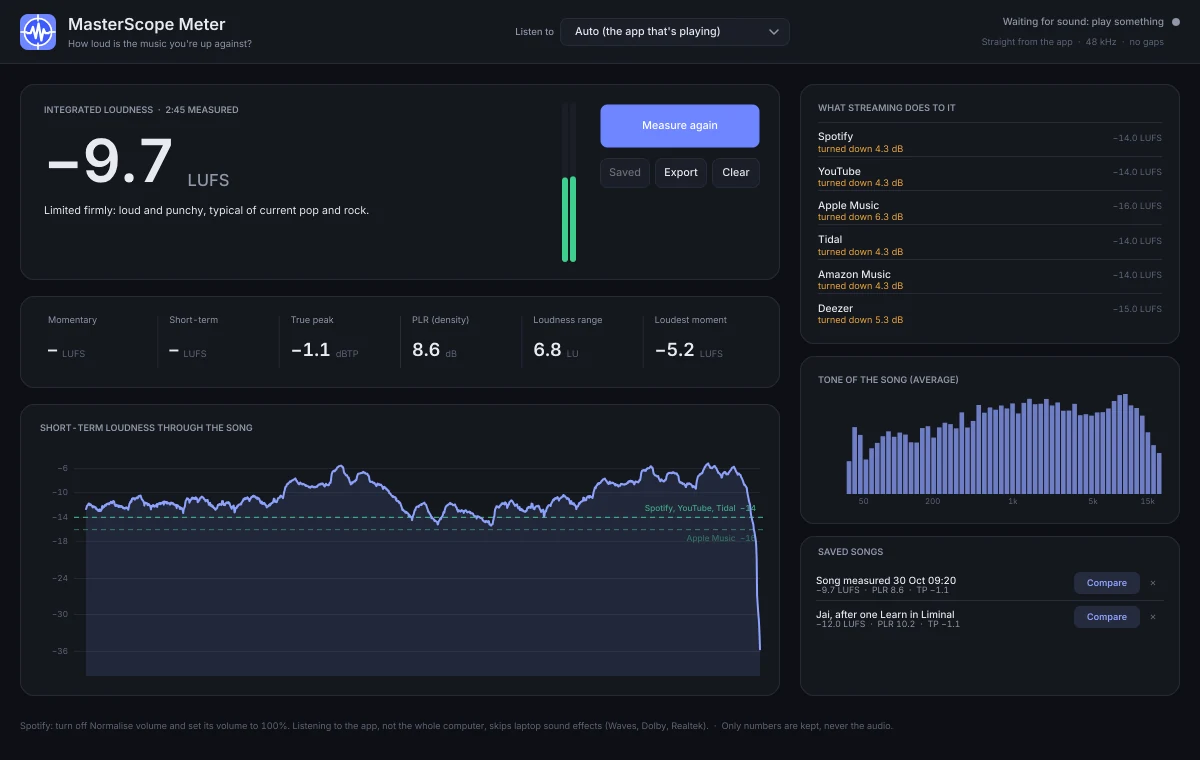 MasterScope Meter
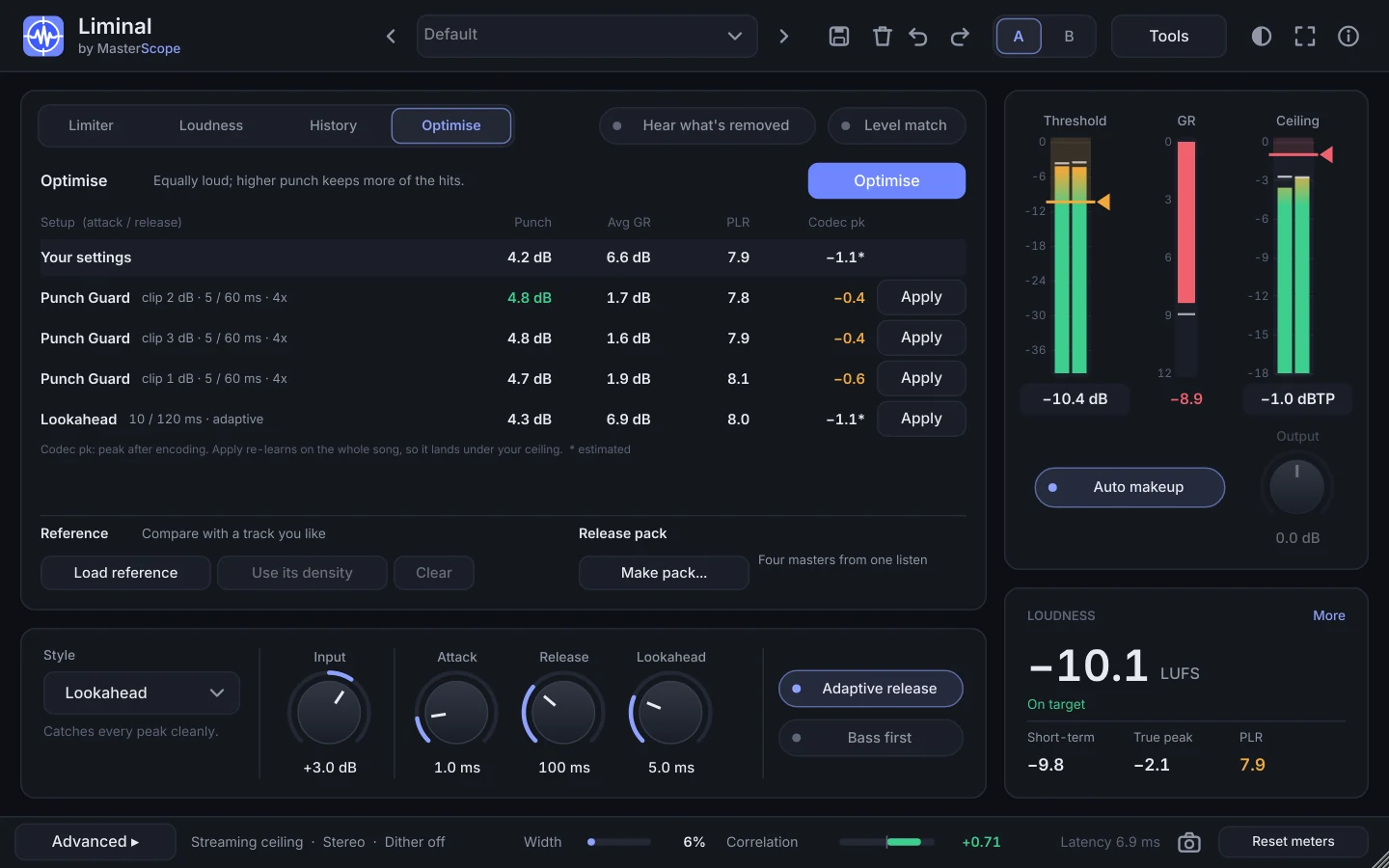 Optimise, reference and release pack
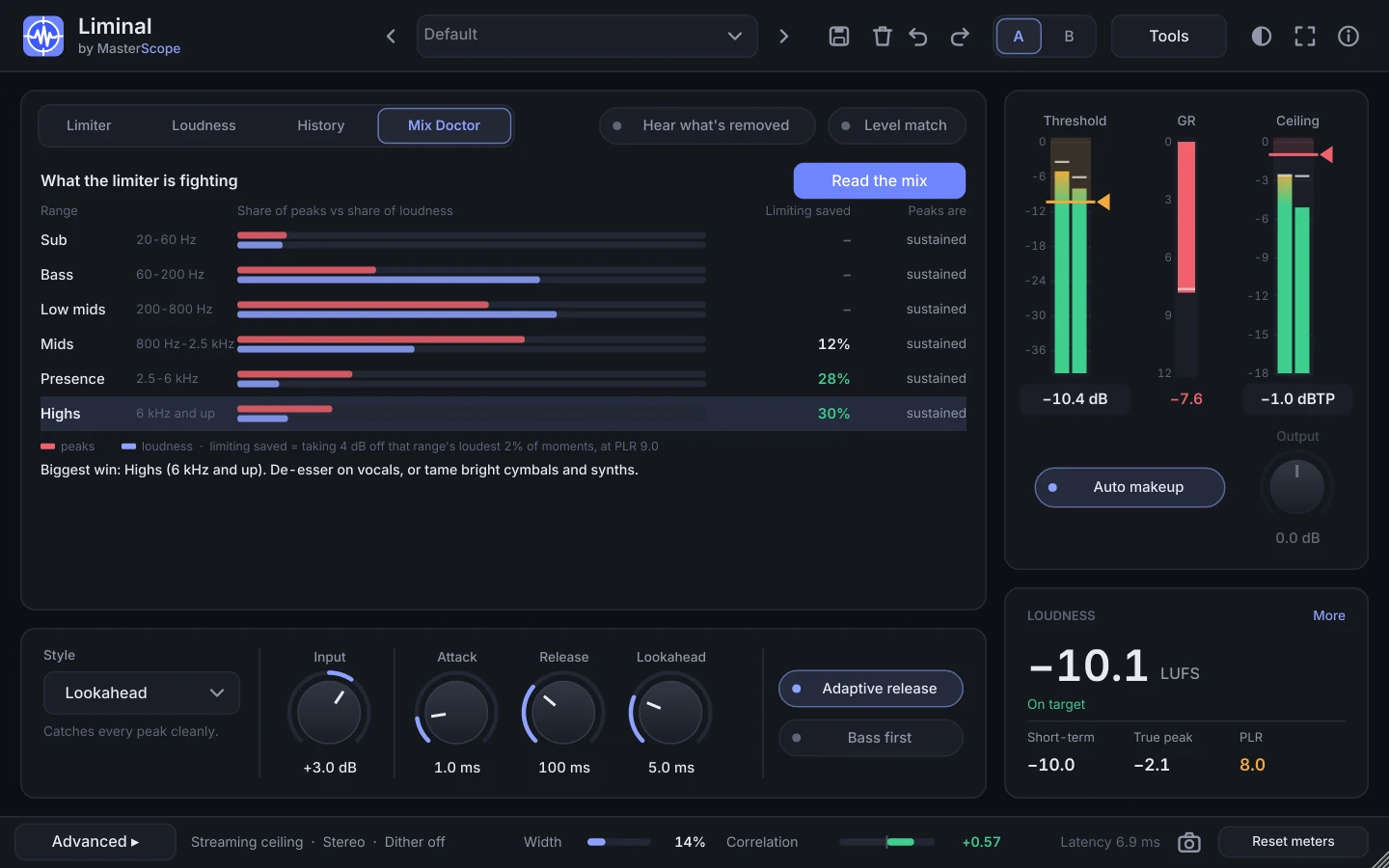 Mix Doctor
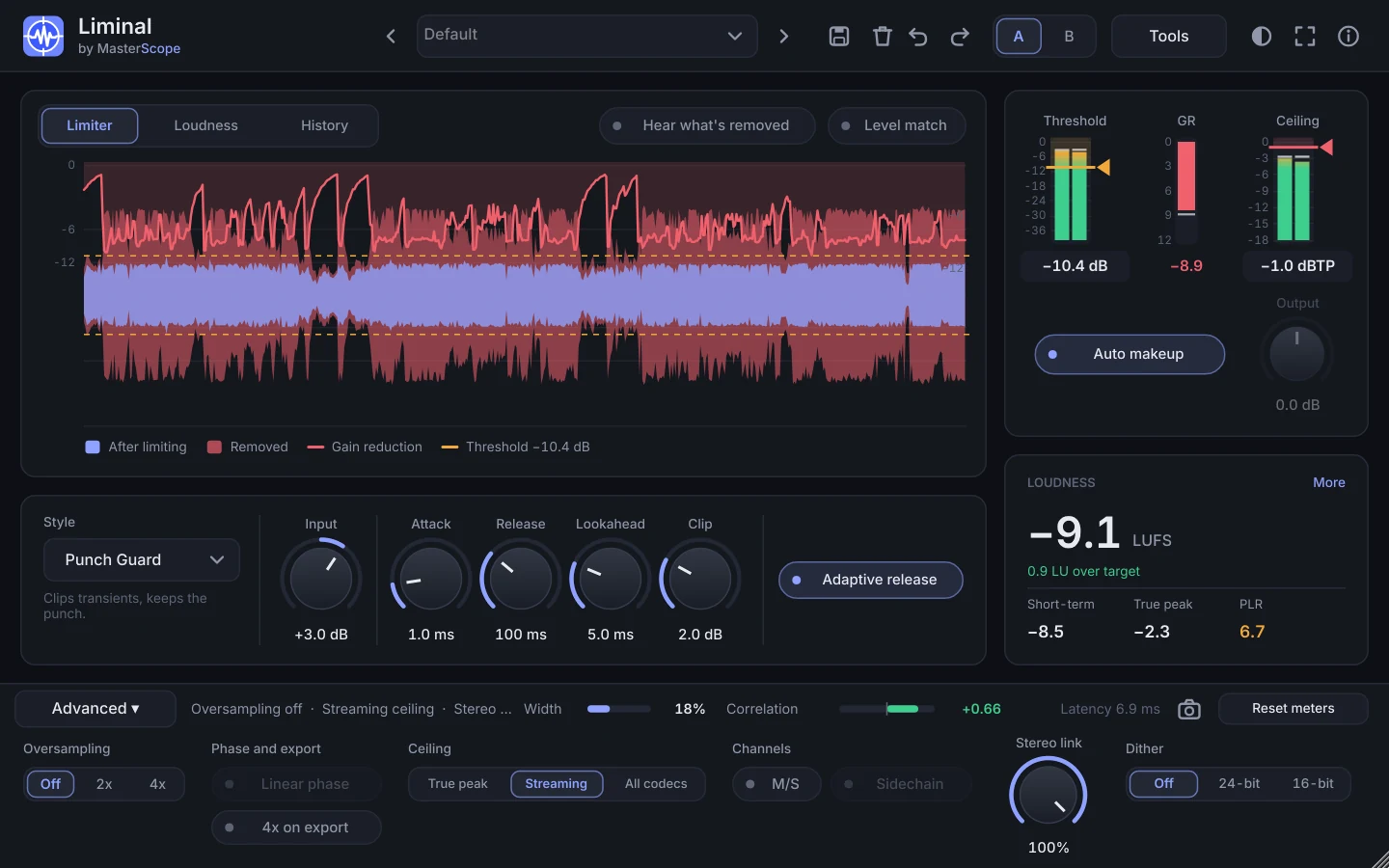 Punch Guard mode
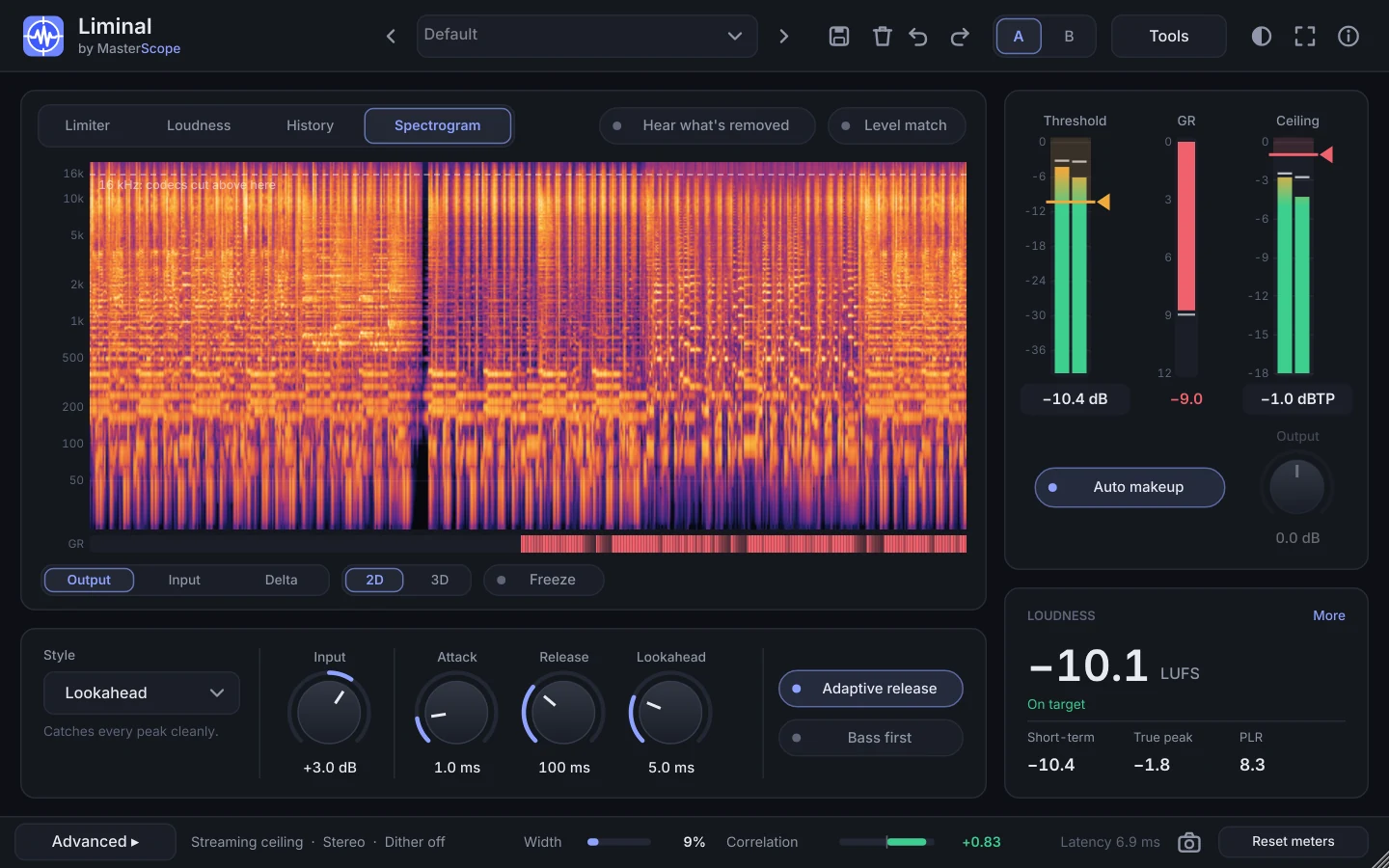 Spectrogram
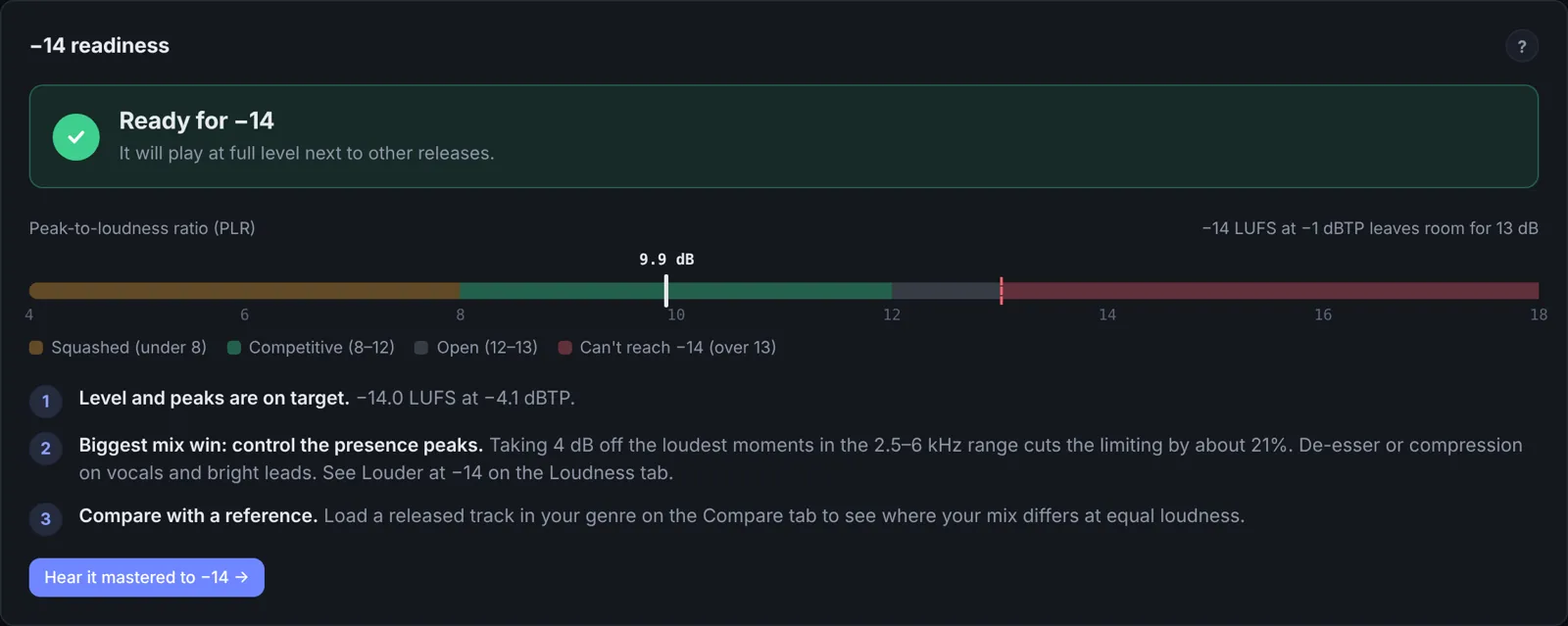 MasterScope: readiness
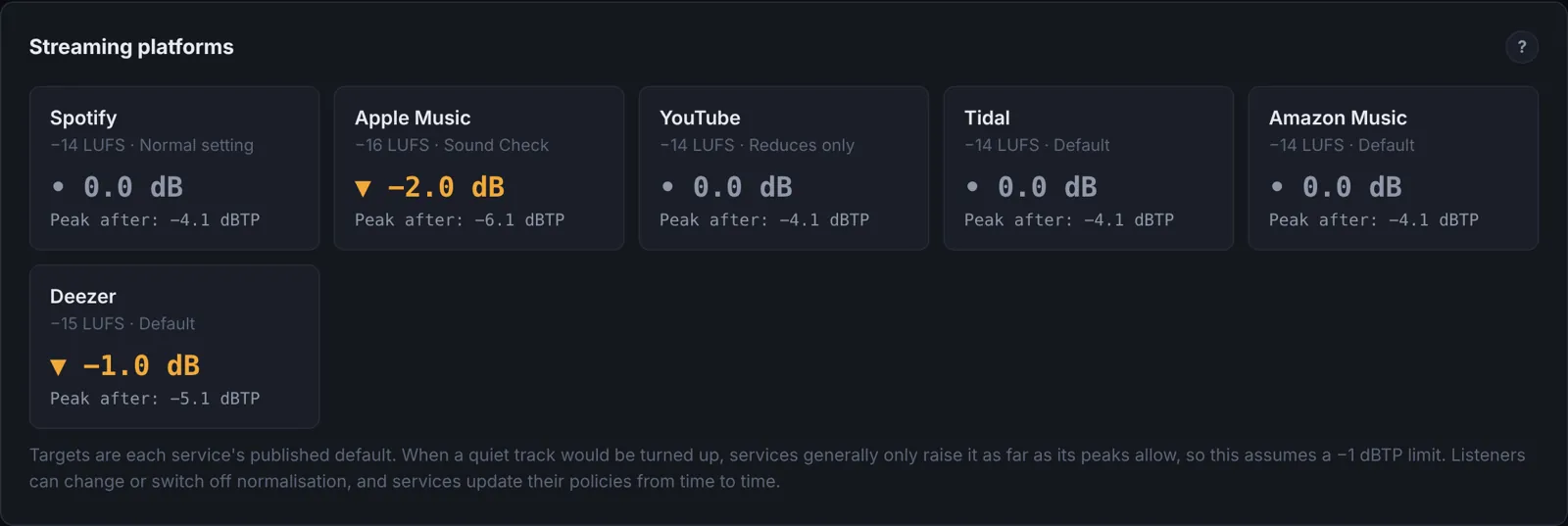 MasterScope: platforms
Logos


Please don't change the icon's colours or proportions. "MasterScope" is one word with a capital S; "Liminal" on its own or "Liminal by MasterScope".