Density and PLR
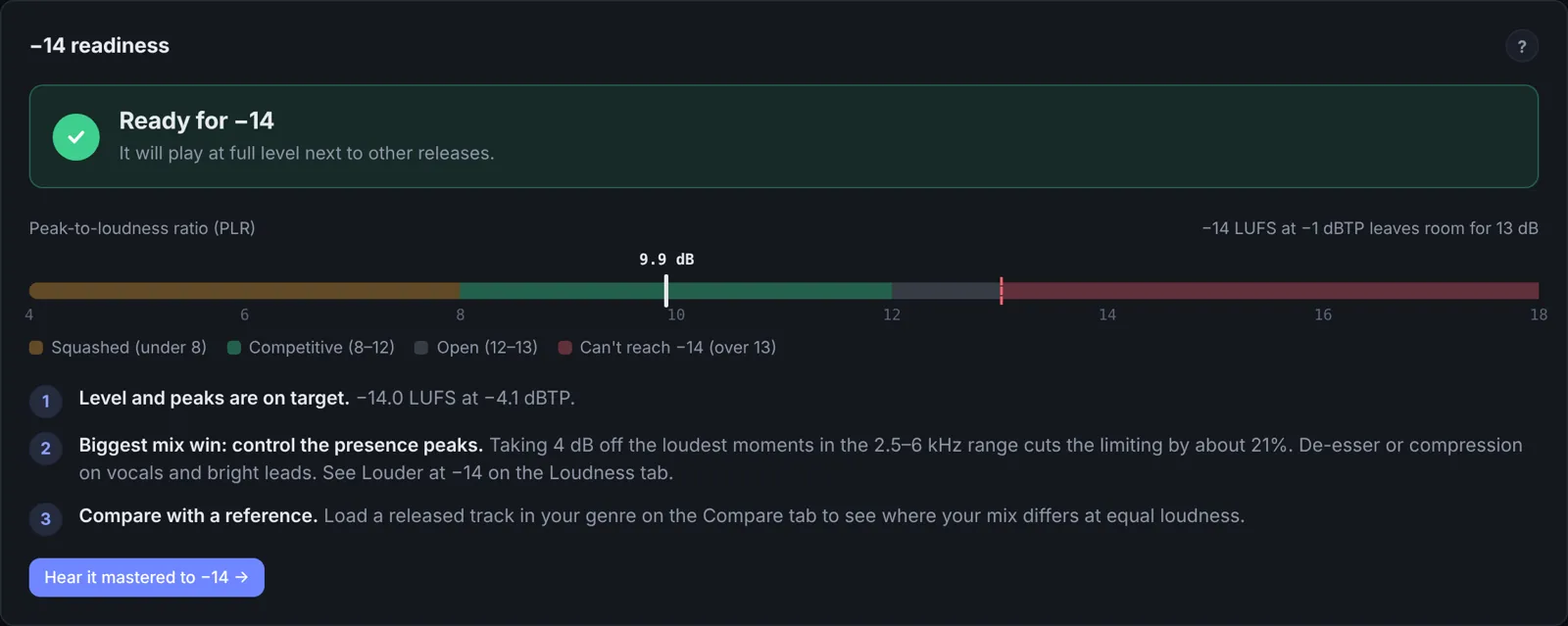
The peak-to-loudness ratio (PLR) is true peak minus integrated loudness. It measures how far the peaks stand above the body of the track, so it is the clearest single number for density.
| PLR | Sound | Typical of |
|---|---|---|
| under 8 dB | Squashed: drums lose their snap, the track can sound smaller | Very loud club and EDM masters |
| 8 to 12 dB | Full and even, with punch intact | Most pop, hip-hop, dance and rock releases |
| 12 to 13 dB | Open and punchy, less dense | Acoustic, jazz, older-style masters |
| over 13 dB | Can't reach −14 LUFS with peaks at −1 dBTP | Unmastered mixes |
Because PLR is peak minus loudness, choosing a PLR and a ceiling fixes the loudness: target loudness = ceiling − PLR. A PLR of 10 with a ceiling of −2 dBTP lands at −12 LUFS. A PLR of 13 with a ceiling of −1 lands at −14.
Does denser sound louder?
A little, and only up to a point. LUFS already measures loudness the way we hear it, so at −14 two tracks are about equally loud. A denser master sounds fuller and more constant, which reads as "bigger" at low volume. Below a PLR of about 8, the drum hits lose impact and the track starts to sound smaller, even though the meter says it is just as loud. Judge density by ear at matched loudness, and compare against a reference in your genre.
Louder masters by choice
You don't have to master to exactly −14. A master at −12 with a PLR of 10 is turned down 2 dB on Spotify and sounds the same there as a −14 master with the same density, but it plays louder in DJ sets, on Bandcamp and as a download. So pick your PLR by ear, set the ceiling (−1 dBTP, or lower for louder masters and anything clipped), and let the loudness follow. Don't turn the master down after the limiter just to read −14: streaming services will do that for you, and the file will be quieter everywhere else.