13
A mastering workflow
This is the loop that works with MasterScope and Liminal. It starts in the mix, because that is where the biggest gains are.
- Analyse the mix. Bounce it with no limiter on the master and open it in MasterScope. Fix anything in "What to work on" first: mud, harshness, wide bass, energy dips, and whatever the Louder at −14 panel says the limiter would be fighting.
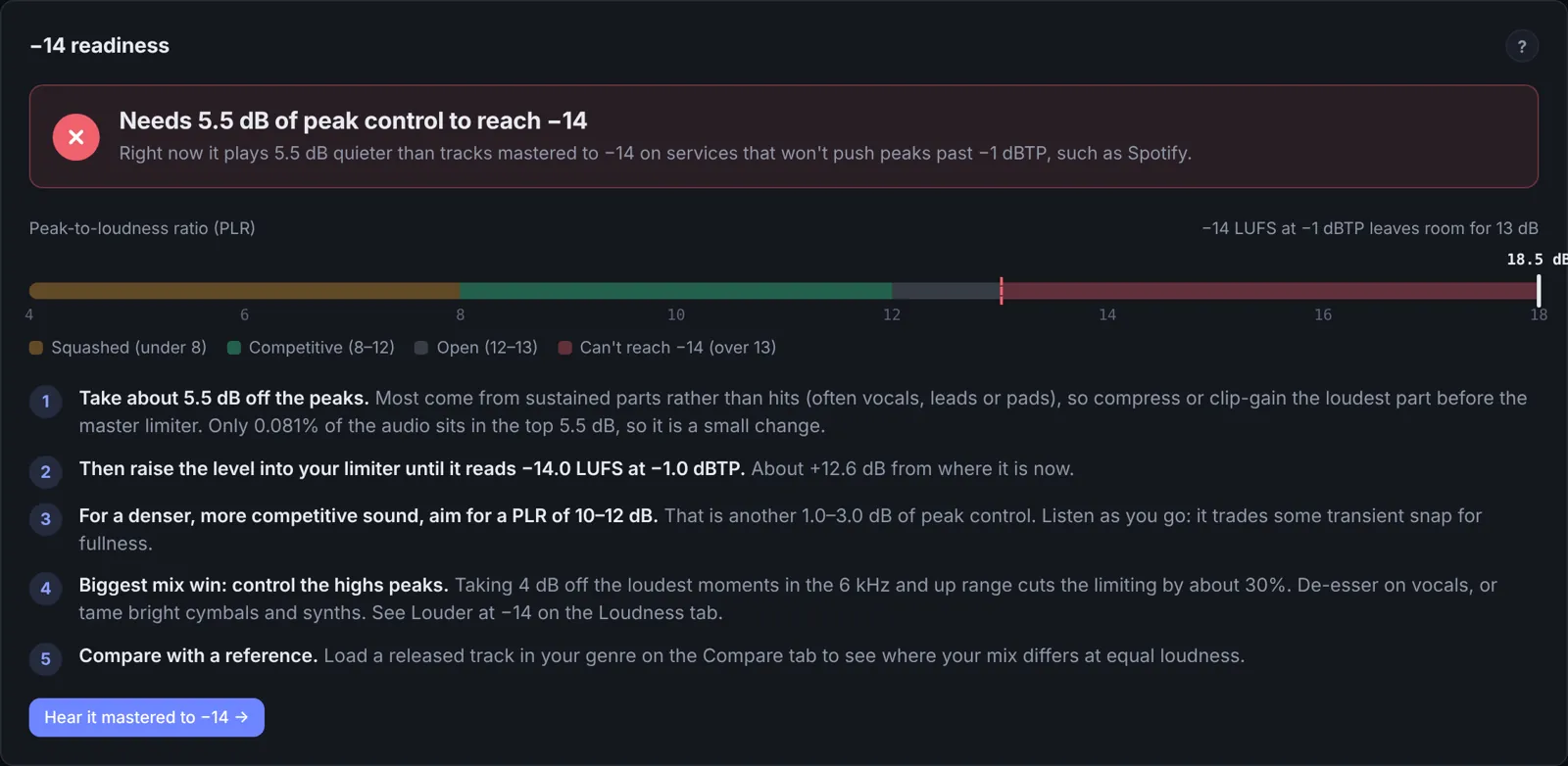
An unmastered mix: PLR 18.5 dB, so it needs about 5.5 dB of peak control to reach −14. The steps say what to control first. - Put Liminal last on the master. Start from the factory preset Streaming: punchy (PLR 10), or Lookahead mode with attack around 10 ms and release around 60 ms. Add Bass first only if the low end is triggering the limiter.
- Set the ceiling. −1 dB with the ceiling mode on Streaming (or All codecs if the track goes to SoundCloud, DJ pools or Apple Music). Liminal keeps the decoded peaks under it, so you no longer need to guess how much lower to go for loud masters.
- Choose your density. Open Tools, click Learn's target and pick a PLR. For a full, competitive sound, aim for 9 to 11.
- Press Learn and play the song once. Liminal listens, then renders what it heard at different thresholds and sets the one that lands on your target.
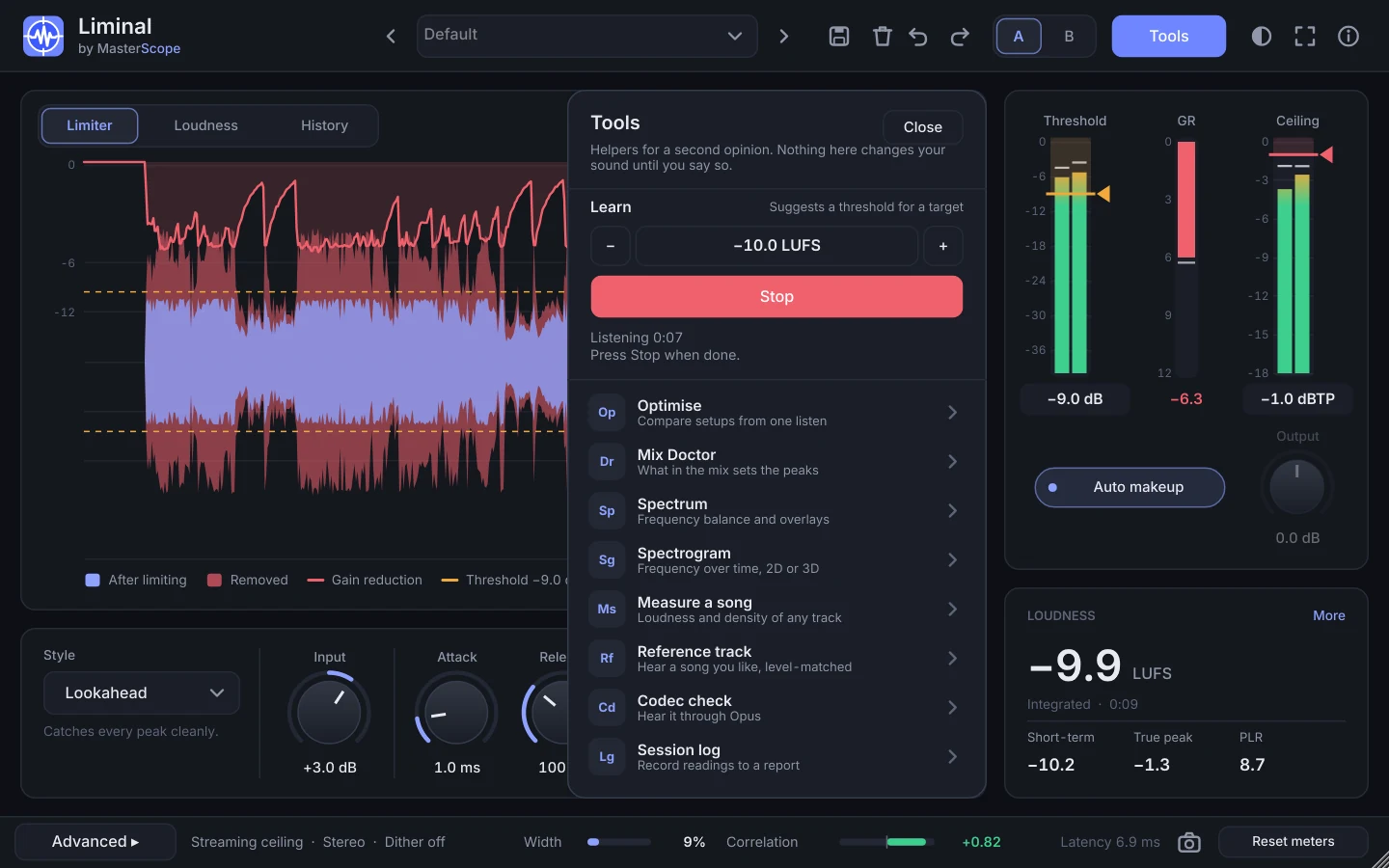
Learn listening, in the Tools panel. 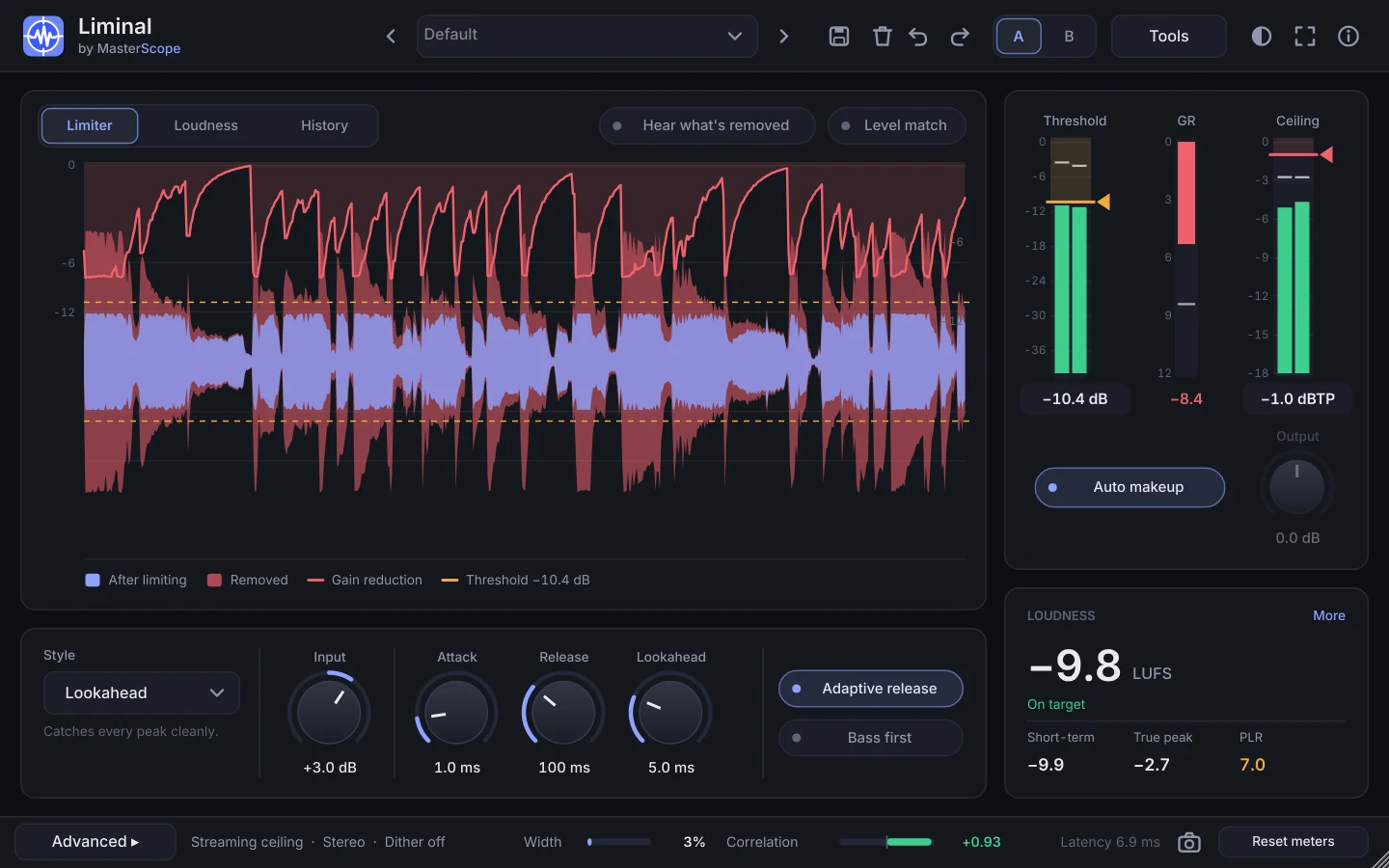
Done: the threshold is set and the Report button appears. - Open the report. Press Report and choose Open in MasterScope (or save the .json and drop it on MasterScope) to see the result, the gain reduction over time and your settings. No second play-through needed. (The Session log in Tools does the same for a live play-through after you change settings by hand.)
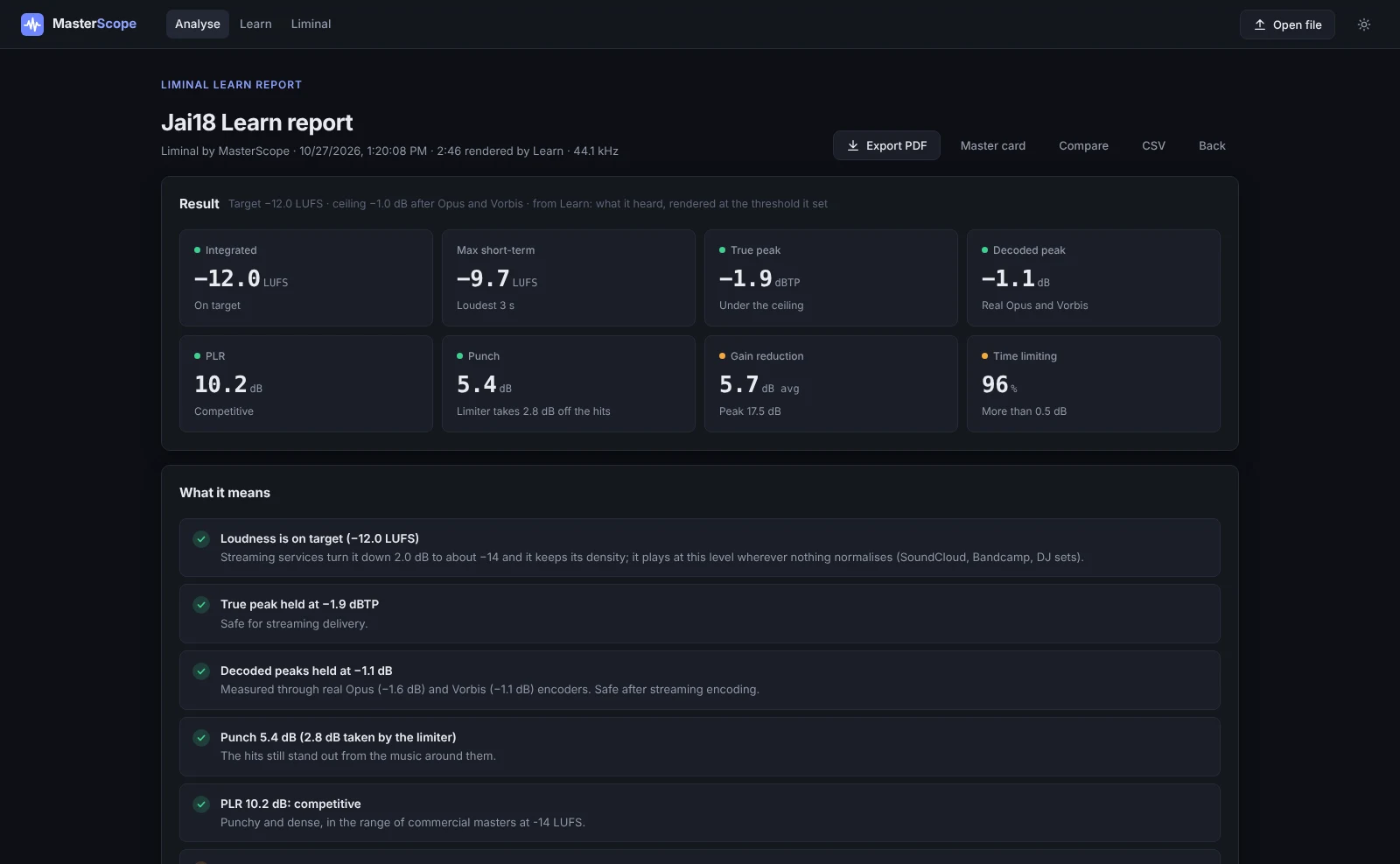
A Learn report in MasterScope: loudness, peaks, codec estimate, PLR and gain reduction, plus a timeline and the settings used. - Check the punch, then Optimise. If the Punch reading (Loudness card, More) shows the limiter taking more than 3 or 4 dB off the hits, open Optimise from Tools and try the top setup. Mix Doctor shows which part of the mix makes the peaks, so you know what to fix at the source.
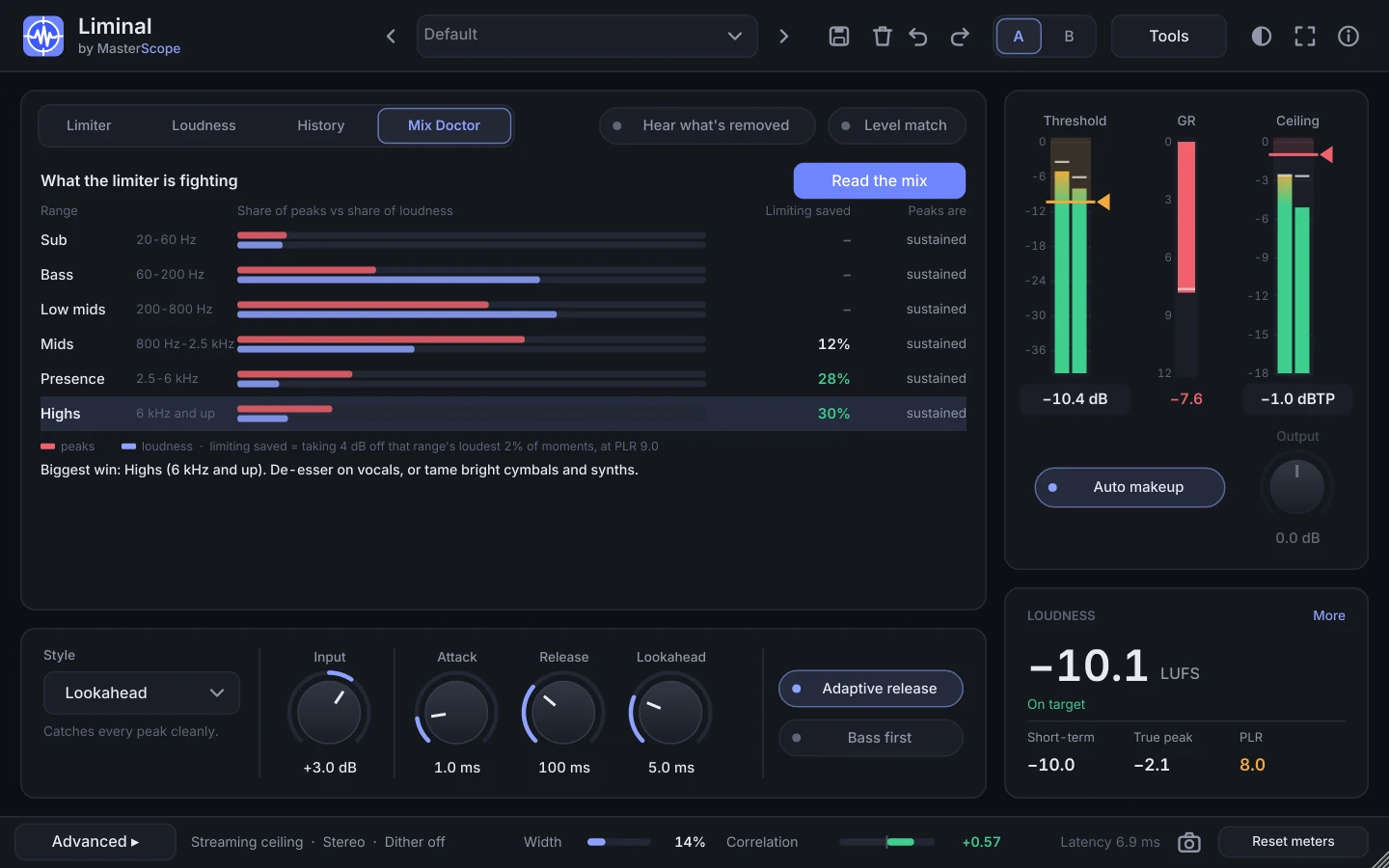
Mix Doctor: each range's share of the peaks against its share of the loudness, how much limiting a little peak control there would save, and the fix. - Listen with Level match, Hear what's removed and Codec check. Level match hears your mix at the same loudness, Hear what's removed only what the limiter takes, Codec check what a streaming listener gets. The Spectrogram's Delta view shows which frequencies are being squashed.
- Export and check the final file. Open the bounced master in MasterScope: true peak, codec peak, density and tone. Then load a reference on the Compare tab.
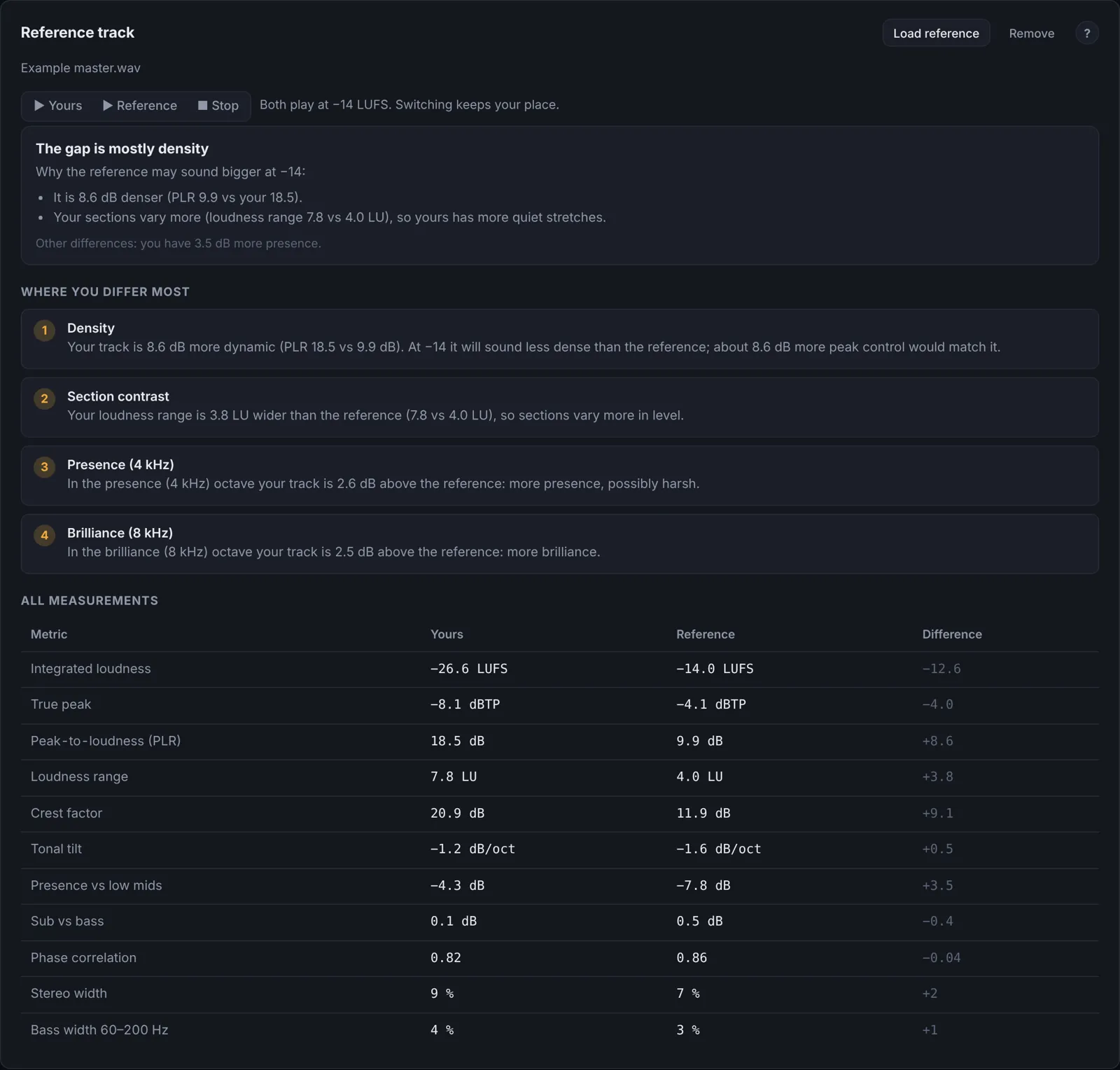
Compare explains why a reference may sound bigger at −14, then lists every difference.
Put it into practiceOpen a mix in MasterScope, or get Liminal for your DAW.